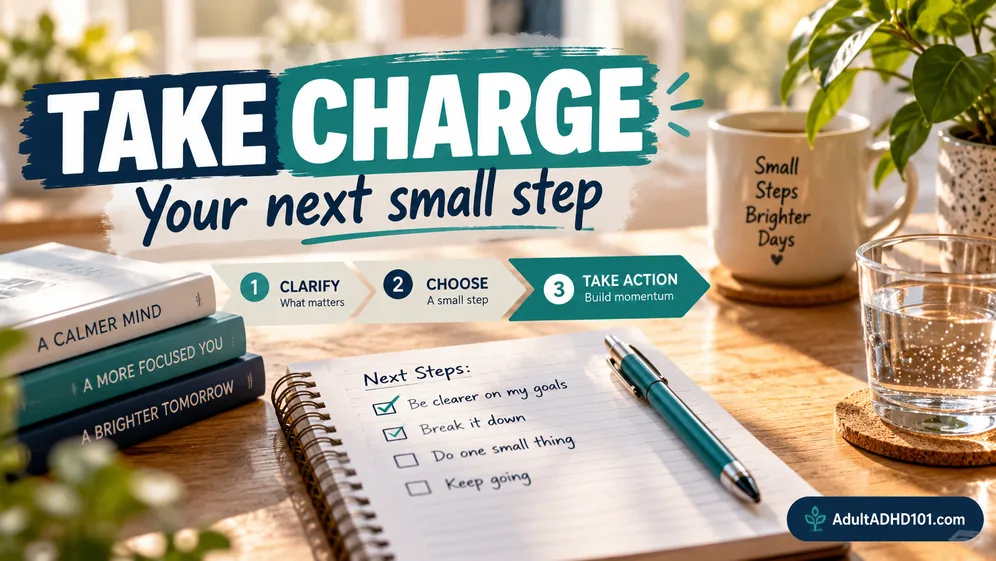
Taking charge means making daily work easier to see and start. The phrase is also the title of a well-known book. This page does not summarise that book. It offers our own practical take on systems for your week, desk, paper, calendar and inbox.
What Taking Charge Means in Practice
You do not need perfect control. You need reliable places for things to land. A task should have a visible home. A paper should have a clear next stop. An appointment should not depend on memory.
Move reminders out of your head. Put them where the action happens. Keep the return by the front door. Leave the form beside the bag. Add preparation time beside the calendar event.
A USEFUL TEST
Can you tell what happens next without rebuilding the whole plan? If not, make the next action smaller and more visible. The executive function guide has more ways to expose a starting point.
Start With a Single System
A new planner, inbox rule and filing setup can feel hopeful together. They also create several habits to remember. Choose the place causing the most repeat friction and begin there.
Keep the setup plain. A useful system should catch work before it organizes work. A tray can catch paper. A calendar can catch commitments. A short list can catch tasks that need action.
 Choose a place you already look.
- Give it a clear job and a clear name.
- Remove extra steps before adding features.
Want the short version? The 7-Day ADHD Reset Kit
Seven days, one small step each day. A printable PDF kit for adults who want their week to feel less like a fight.
PRINTABLE PDF KIT · LIMITED TIME OFFER
Build a Weekly View You Can Trust
Your week can disappear when appointments, chores and work live on separate lists. Bring fixed commitments into the same weekly view. Then add only the tasks that truly need space soon.
Look for crowded transitions. A meeting may end when another task starts, but travel, notes and a pause still use time. Leave breathing room around changes. A realistic view is easier to trust than a packed one.
- Gather. Bring commitments and loose task notes into view.
- Place. Put fixed events where they belong.
- Protect. Keep open space for changes and unfinished work.
- Close. Mark a clear point to review the week again.
If the week keeps collapsing, use the restart ideas in ADHD routines. The goal is not an unbroken streak. It is a system you can return to.
Give the Desk and Paper Clear Jobs
A desk becomes a storage area when every paper asks a different question. Separate active work from papers that are waiting. Put papers needing action in a visible tray. Store finished records away from the work surface.
Use broad homes instead of detailed filing. Labels such as act, waiting and keep are easier to maintain than a deep set of folders. If a paper has a deadline, place that deadline in your calendar too.
End desk time by leaving the next task ready. Close unrelated tabs, place the needed paper on top and write the starting action. This small reset helps tomorrow begin without another search.
Make the Calendar and Inbox Work Together
The calendar answers when. The inbox holds new information until you decide what it means. Trouble starts when an email quietly becomes a task but never reaches a task list or calendar.
When a message needs action, name that action. Add time-sensitive work to the calendar. Put other work on your short list. Then archive or move the message so it stops looking new.
Do not use unread status as a plan. It mixes useful reminders with newsletters and updates. A short inbox check can sort messages into action, waiting and reference without answering everything.
For more help making tasks visible, browse ADHD productivity systems and ADHD apps and tools.
When to Bring In a Professional
Sometimes a system is not the only issue. Work demands, paperwork or personal concerns may call for qualified support. A professional can discuss your situation with you. This page cannot offer personal guidance.
You can still bring useful notes. Write where tasks get stuck, which supports already help and what creates repeat friction. Specific examples make the conversation clearer. The adult help guide describes broad kinds of support.
Sources for the general information on this page: CDC (cdc.gov), NIH/NIMH (nimh.nih.gov), Mayo Clinic (mayoclinic.org). Educational information only, not medical advice.