Start with the job, then choose the tool. Google Keep or Apple Reminders can capture a thought. Structured can show your day as a timeline. Focusmate or StudyStream can put another person on screen while you work. Most people can test this setup for $0.
1. Capture a thought before it disappears
A capture app should open quickly and accept rough notes. It does not need to manage every project.
- Apple Reminders: free. It is the fastest option on an iPhone, iPad or Mac when you use Siri or Control Center. It supports lists, tags, subtasks and time or location alerts. It is not for people who need the same list on Android or Windows.
- Google Keep: free. Use a text note, checklist, voice memo or photo note on Android, iPhone or the web. There is no separate paid tier. It is not for detailed projects with dependencies or multiple task stages.
- Todoist: free for up to 5 personal projects. The free Beginner plan includes Quick Add, task reminders, recurring dates and 1 week of history. Pro costs $7 per month or $60 per year. It is not for someone who only wants an unstructured note pad.
Pick Apple Reminders for the quickest Apple capture. Pick Google Keep for a simple note that works across phones and the web. Pick Todoist when the thought needs a date, priority or recurring schedule.
2. Make the end of a work block visible
A timeline shows where a block sits in the day. A countdown shows how much of that block remains. A physical timer keeps the countdown visible without leaving another app open.
- Structured: free tier. The free plan includes a visual timeline, inbox, Pomodoro timer and widgets. Structured Pro has monthly, yearly and lifetime options, but pricing varies by region and is shown locally. It is not for people who want a plain list without scheduled blocks.
- Session: free for unlimited focus sessions and 2 days of analytics. It gives you a visible countdown and break tracking on Mac, iPhone and Apple Watch. Pro costs $4.99 per month or $39.99 per year. It is not for Android or Windows users.
- Time Timer MOD Home Edition: $24.95. This silent 60-minute physical timer uses a disappearing disk and an optional ending beep. The larger Time Timer Original 8-inch model costs $38.95. A Yajisi 1, 3, 5 and 10-minute flip cube costs $11.26. These are not for calendar planning or remote reminders.
Choose one display size. Structured works when you need the whole day on screen. Session works for one countdown. Time Timer MOD works when you want the remaining minutes visible on your desk.
3. Use reminders that appear where the action happens
Location reminders can appear when you arrive somewhere or leave it. Time reminders work better when the task must happen at a fixed hour.
- Apple Reminders: free. It supports time, date and location-triggered reminders on Apple devices. You can also share lists through iCloud. It is not for households that need Android access.
- Google Keep: free. A note can carry a time or location reminder and sync across Android, iPhone and the web. There is no standalone paid plan. It is not for people who need advanced priorities, project history or task reporting.
- Todoist: free for time reminders and recurring dates. The free plan covers 5 personal projects and 1 week of history. Location reminders require Pro at $7 per month or $60 per year. It is not the $0 choice if location triggers are your main requirement.
Use Apple Reminders or Google Keep if you want location cues at no cost. Pay for Todoist Pro only if you also need its project, label and priority system.
4. Work alongside someone
Body doubling can be a scheduled one-on-one session, a guided group or an always-open study room. The other person can work on a completely different task.
- Focusmate: 3 free sessions per week. It pairs you with one person for a video work session. Standard bookings are 25 or 50 minutes, and sessions are available worldwide, 24 hours a day. Unlimited sessions cost $8 per month when billed annually or $12 per month when billed monthly. It is not for people who prefer a large anonymous room.
- StudyStream: free. Its silent video study rooms run continuously, so you can drop in for any length of time from any time zone. It serves as both the free drop-in group and the free always-on study-room option. It is not for someone who wants a private partner and a scheduled check-in.
- CaveDay: 14-day free trial, then $105 for 3 months. Guided group sessions last 30 minutes, 1 hour or 3 hours. Sessions run 7 days a week for more than 20 hours each day, and membership includes a 24-hour Focus Lounge. It is not a free-forever option or a one-on-one service.
Use StudyStream first if your budget is $0. Choose Focusmate when a scheduled one-on-one start and finish matter. Choose CaveDay when you want a human guide to run the group session.
Gadget extras that are not software
Joyfy Quiet Twsity fidget set: $7.99. This 6-piece desk set uses small linked pieces designed for quiet hand movement. Similar desk fidget cubes, spinners and gear sets usually cost about $8 to $25. They are not for meetings where any visible hand object would be distracting.
Loop Quiet 2 earplugs: $24.95. These are reusable silicone earplugs for lowering the amount of background sound you hear. Loop Experience 2 and Loop Engage 2 cost $34.95, while Loop Switch 2 costs $59.95. They are not a replacement for required workplace hearing protection.
The $0 one-week starter setup
You can test capture, visible time, reminders and body doubling for a full week using free tiers.
- Day 1: install Google Keep for $0. Add one checklist called Inbox and place its widget or shortcut on your phone’s first screen.
- Day 2: add Structured for $0. Put tomorrow’s fixed events on its visual timeline, then add one open work block.
- Day 3: test one Google Keep location reminder for $0. Attach it to a note that is useful at a specific store, office or home location.
- Day 4: run one free Structured focus timer. Use a 25-minute block and stop when the countdown ends.
- Day 5: enter a StudyStream room for $0. Stay for one 30-minute work block. Leave when your planned block ends.
- Day 6: repeat the combination that worked best. Keep capture in Google Keep, the timeline in Structured and the work session in StudyStream.
- Day 7: remove any duplicate setup. Keep only the free tools you opened without hesitation during the week.
Total cost for the week: $0. If you pay for exactly one thing, buy the Time Timer MOD Home Edition for $24.95. It replaces the phone countdown while leaving Structured free for timeline planning.
ADHD apps and tools compared
| Tool | Job | Free tier or price | Best for | Not for |
|---|---|---|---|---|
| Google Keep | Capture and location reminders | Free, with no separate paid tier | Voice notes, checklists, photos and quick phone capture | Complex projects with task dependencies |
| Todoist | Capture and task reminders | Free for 5 personal projects; Pro is $7 per month or $60 per year | Recurring tasks, priorities and light project lists | Free location-triggered reminders |
| Structured | Visible time | Free timeline and timer; Pro pricing varies by region and appears at checkout | Mapping tasks onto a visual day | People who want an unscheduled list only |
| Session | Countdown timer | Free unlimited sessions; Pro is $4.99 per month or $39.99 per year | Apple users who want focus and break tracking | Android and Windows users |
| Time Timer MOD Home Edition | Physical visible time | $24.95 | A silent 60-minute desk countdown | Calendar planning and remote alerts |
| Apple Reminders | Capture and location reminders | Free | Fast Siri capture on Apple devices | Android and Windows households |
| Focusmate | One-on-one body doubling | 3 free sessions per week; unlimited is $8 per month annually or $12 monthly | Scheduled 25 or 50-minute partner sessions | Large drop-in groups |
| StudyStream | Group body doubling | Free | Continuous worldwide study rooms with no booking | A private partner or guided check-in |
| Joyfy Quiet Twsity set | Desk fidget | $7.99 for a 6-piece set | Quiet hand movement at a desk | Settings where visible desk objects are not allowed |
| Loop Quiet 2 | Lowering background sound | $24.95 | Reusable silicone earplugs for everyday environments | Required occupational hearing protection |
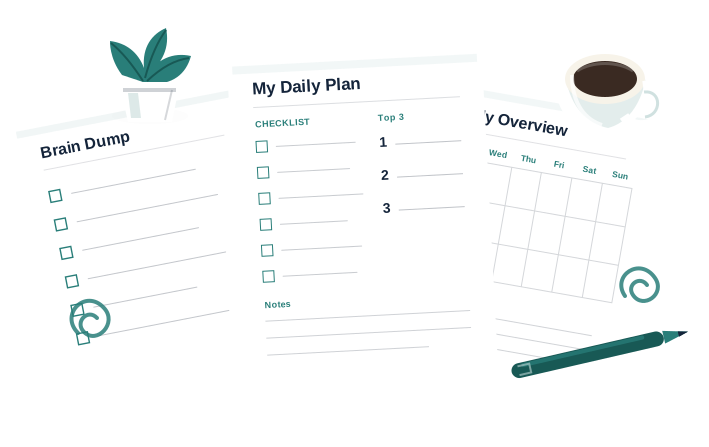
Put the tools into a daily order
Apps organize the day. The ADHD Starter Kit is the 15-minutes-a-day routine that puts capture, planning and follow-through into a repeatable order. Check the kit page for current pricing.
15-MINUTE DAILY ROUTINE
See the ADHD Starter Kit